Digital Visiting Cards for Clinics and Doctors: Simplify Patient Contact and Trust
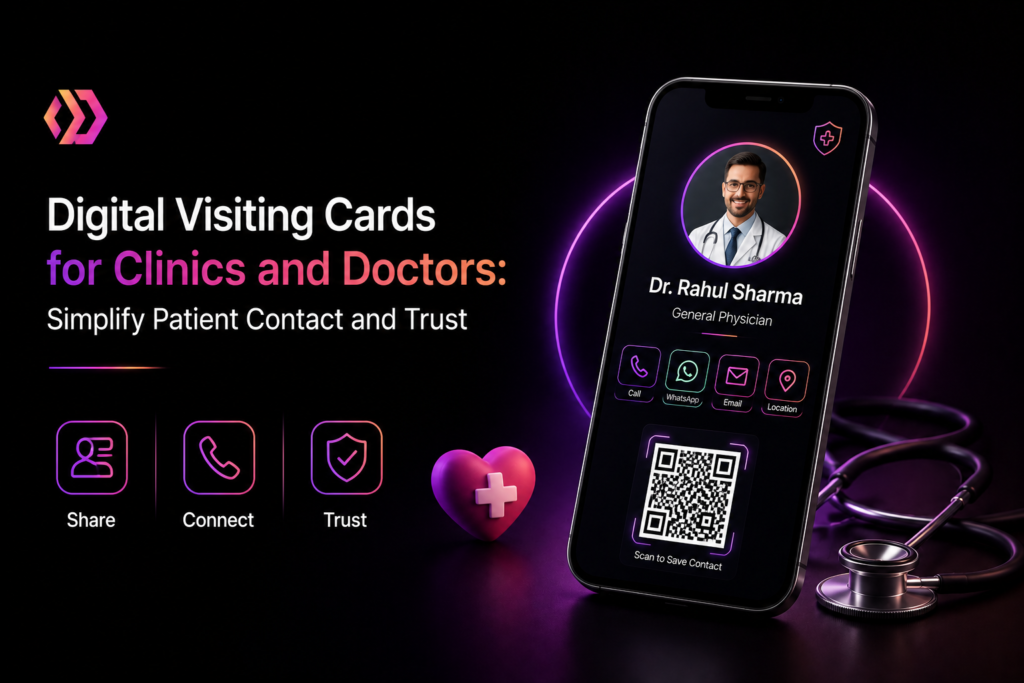
A digital visiting card for doctors makes it easier for healthcare professionals to establish a professional online presence. Doctors can share their qualifications, specialization, clinic address, contact details, and appointment links through one convenient digital profile. Whether you manage a small clinic or a multi-specialty healthcare practice, a digital visiting card for doctors helps simplify patient communication and makes essential information accessible.
This is where a digital visiting card for doctors becomes valuable. Instead of depending only on traditional printed visiting cards, doctors and clinic owners can use digital cards to share their professional information instantly through WhatsApp, email, QR codes, and other digital platforms. A digital visiting card provides a convenient way to introduce your medical practice, simplify patient communication, and create a professional online presence. With Digital Card Creator, healthcare professionals can create and share their digital identity without depending entirely on printed materials.
Let’s explore how digital visiting cards can help doctors and clinics improve communication, build trust, and make patient connections easier.
What Is a Digital Visiting Card for Doctors?
A digital visiting card for doctors is an online professional profile that contains important information about a doctor or medical clinic. It works like a traditional business card but provides additional digital features that make sharing and accessing information easier.Doctors and clinic owners can simplify professional networking by creating an online profile with Digital Card Creator. Instead of sharing only printed contact details, healthcare professionals can create their digital visiting card and share important information with patients through a convenient digital platform.
Doctors can include details such as:
-
Doctor’s name and professional designation
-
Medical qualifications and specializations
-
Clinic or hospital name
-
Contact number and email address
-
Clinic address and Google Maps location
-
Consultation hours
-
Appointment booking link
-
Website and social media profiles
-
Available medical services
-
WhatsApp contact option
Patients can access these details through a shared link or QR code using their smartphones.
For example, a general physician can share a digital visiting card with a new patient after a consultation. The patient can save the doctor’s contact information, find the clinic location, and access available appointment details whenever required.
Why Do Doctors and Clinics Need Digital Visiting Cards?
Healthcare professionals need effective communication to maintain positive patient relationships. Patients may need to contact clinics for appointments, follow-up consultations, directions, or general enquiries. Traditional printed cards are useful, but they have limitations. They can get misplaced, become outdated, or run out when doctors need them most. Here are some reasons why digital visiting cards are becoming useful for healthcare practices.
1. Make Patient Communication Easier
Patients should not have to search through multiple websites or directories to find a clinic’s contact information. A digital visiting card brings essential contact details together in one place. Doctors can share their cards through WhatsApp, SMS, email, or social media. Patients can quickly access the information they need without carrying a physical card.
2. Build a Professional Medical Identity
A professional online presence helps doctors introduce their expertise and medical practice. A well-designed digital card can display qualifications, specialization, clinic details, and professional contact information. For example, a dermatologist can use a digital visiting card to introduce their dermatology services, clinic location, consultation hours, and appointment contact details. This makes it easier for prospective patients to understand the doctor’s professional profile.
3. Simplify Appointment Enquiries
Patients often contact clinics to ask about consultation availability, timings, and appointment procedures. A digital visiting card can include an appointment booking link or WhatsApp contact option, depending on the features available. This allows patients to reach the clinic conveniently and reduces the effort required to locate appointment information.
4. Share Clinic Locations Easily
Finding the correct clinic location is important, especially for first-time visitors. Doctors can add their Google Maps location to their digital visiting cards. Patients can open the location directly on their smartphones and get directions. This is particularly helpful for clinics located inside hospitals, commercial buildings, or medical complexes.
5. Reduce Dependence on Printed Visiting Cards
Printed visiting cards require repeated printing whenever contact information, clinic addresses, or consultation details change. Digital visiting cards provide a more flexible alternative. Doctors can update their information online without distributing newly printed cards every time. They can also share the same digital card with multiple patients without worrying about physical card availability.
Important Features of a Digital Visiting Card for Doctors
A useful digital card should provide patients with clear and accessible information. Here are some important features healthcare professionals should consider.
1. Professional Doctor Profile
Include the doctor’s name, designation, qualifications, specialization, and a professional photograph. A clear profile helps patients understand who they are contacting.
2. Click-to-Call Contact Details
Add a clickable phone number so patients can call the clinic directly from their smartphones. This makes communication faster and more convenient.
3. WhatsApp Integration
WhatsApp is widely used for everyday communication in India. Adding a WhatsApp contact option allows patients to send enquiries directly to the clinic. Clinics should establish clear communication guidelines and avoid requesting sensitive medical information through unsecured channels.
4. Clinic Address and Google Maps
Display the complete clinic address and a location link. Patients can use the map to navigate to the correct location without manually searching for directions.
5. Appointment Booking Link
If your clinic offers online appointment scheduling, include the booking link in your digital card. Patients can use it to check appointment options and follow the clinic’s booking process.
6. Medical Services and Specializations
Doctors can highlight their key services and areas of specialization.
For example:
-
General Medicine
-
Dermatology
-
Dentistry
-
Cardiology
-
Orthopaedics
-
Paediatrics
-
Gynaecology
-
Physiotherapy
Providing this information helps patients understand the services offered by the clinic.
Digital Visiting Cards vs Traditional Visiting Cards for Doctors
Both traditional and digital visiting cards can help healthcare professionals share their contact information. However, digital cards offer additional convenience.
| Feature | Traditional Card | Digital Card |
|---|---|---|
| Sharing | Physical distribution | Link, QR code, WhatsApp |
| Contact access | Manual dialing | Click-to-call |
| Clinic location | Printed address | Clickable map |
| Appointment link | Not interactive | Can include booking link |
| Updates | Reprinting required | Online updates |
| Storage | Physical cardholder | Smartphone |
| Sharing reach | Limited by distribution | Easy digital sharing |
Traditional cards can still be useful during in-person consultations and networking. However, a digital visiting card provides additional ways to connect with patients online.
How to Create a Professional Digital Visiting Card for Doctors
Creating a professional digital profile does not need to be complicated. With Digital Card Creator, healthcare professionals can build a digital identity that makes their contact information easier to access and share.
Follow these steps:
Step 1: Choose a Professional Design
Select a clean and professional design that reflects your medical practice. Choose readable fonts, suitable colours, and a layout that works well on mobile devices.
Step 2: Add Your Professional Information
Include your full name, medical designation, qualifications, specialization, and clinic or hospital name. Make sure the information is accurate and up to date.
Step 3: Add Contact Information
Provide your clinic phone number, email address, and WhatsApp contact details where appropriate.
Step 4: Include Clinic Location
Add your clinic’s complete address and Google Maps link so patients can find your practice easily.
Step 5: Add Appointment Information
Include your appointment booking link or instructions explaining how patients can schedule a consultation.
Step 6: Review and Share Your Card
Check all information, links, and contact details before sharing your digital visiting card. Once ready, share it through WhatsApp, email, social media, and QR codes.
How Digital Visiting Cards Help Clinics Build Patient Trust
Trust is an important part of every patient-doctor relationship. Patients want to communicate with qualified professionals and access accurate clinic information. A digital visiting card can support this process in several ways.
Display Verified Professional Information
Include accurate qualifications, professional designations, and relevant credentials. Only display information that can be appropriately verified.
Maintain Consistent Contact Information
Keep your phone number, clinic address, consultation hours, and appointment links updated. Incorrect information can create confusion and negatively affect the patient experience.
Create a Professional First Impression
A clean and organized digital profile can help patients understand your medical practice and find essential details without unnecessary effort.
Make Communication Convenient
Provide accessible contact options so patients can reach the clinic through their preferred communication channels.
Important: A digital visiting card supports professional communication, but it does not independently establish medical credibility or guarantee patient trust. Accurate information, ethical healthcare practices, and quality patient care remain essential.
Best Practices for Using Digital Visiting Cards in Healthcare
To get the most value from your digital visiting card, follow these practical recommendations:
-
Use a professional photograph and consistent clinic branding.
-
Keep medical qualifications and professional details accurate.
-
Add an easy-to-find clinic phone number.
-
Include a working Google Maps location.
-
Keep consultation hours updated.
-
Add an appointment booking link where available.
-
Share your card after consultations and through appropriate communication channels.
-
Use a QR code at the clinic reception.
-
Review all links regularly.
-
Protect patient privacy and avoid displaying confidential patient information.
These practices help make your digital profile more useful, accessible, and professional.
Why Choose Digital Card Creator for Your Doctor’s Digital Visiting Card?
Healthcare professionals need a simple way to present their professional information and connect with patients. Digital Card Creator helps doctors, clinic owners, and other professionals create a digital business identity that can be shared online. With a digital card, you can bring important professional and clinic information together in one accessible place. Whether you operate an independent clinic, work as a specialist, or manage a healthcare practice, a digital profile can make sharing your contact details easier. Instead of relying only on printed cards, create a digital presence that patients can access whenever they need your clinic information.
Frequently Asked Questions (FAQs)
1. What is a digital visiting card for doctors?
A digital visiting card for doctors is an online professional profile containing information such as the doctor’s name, qualifications, specialization, clinic address, contact details, and appointment links.
2. How can doctors share their digital visiting cards with patients?
Doctors can share their digital cards through WhatsApp, email, SMS, social media, or QR codes. Patients can open the shared link using their smartphones.
3. Can a digital visiting card include clinic location details?
Yes. Doctors can include their clinic address and Google Maps link so patients can easily find directions to their practice.
4. Are digital visiting cards better than printed cards for doctors?
Digital cards offer additional features such as clickable phone numbers, location links, and appointment links. Printed cards can still be useful for face-to-face interactions, so both formats can complement each other.
5. Can clinic owners use digital visiting cards?
Yes. Clinic owners can create digital profiles featuring clinic contact information, medical services, location, working hours, and appointment details.
6. Can I add WhatsApp and appointment links to my digital visiting card?
You can include WhatsApp and appointment links if your digital card platform supports these features. This makes it easier for patients to contact your clinic.
7. How does a digital visiting card help build patient trust?
It helps present accurate professional information, qualifications, contact details, and clinic information in an organized format. This supports transparency and makes communication more convenient.
8. How can I create a digital visiting card for my clinic?
Choose a suitable digital card platform, add your professional and clinic information, include contact and location links, review your details, and share your card with patients.
Conclusion
The healthcare industry is becoming increasingly digital, and patients expect convenient access to clinic information and professional contact details. A digital visiting card for doctors offers a practical way to simplify patient communication, share clinic locations, display professional qualifications, and provide appointment information. For doctors, specialists, independent practitioners, and clinic owners, digital visiting cards can complement traditional networking methods while supporting a more accessible online professional identity. With Digital Card Creator, you can create a professional digital visiting card and make it easier for patients to connect with your practice.
Ready to improve your professional online presence? Create your Doctor’s Digital Card with Digital Card Creator today!